01
Synchronous Multichannel Acquisition
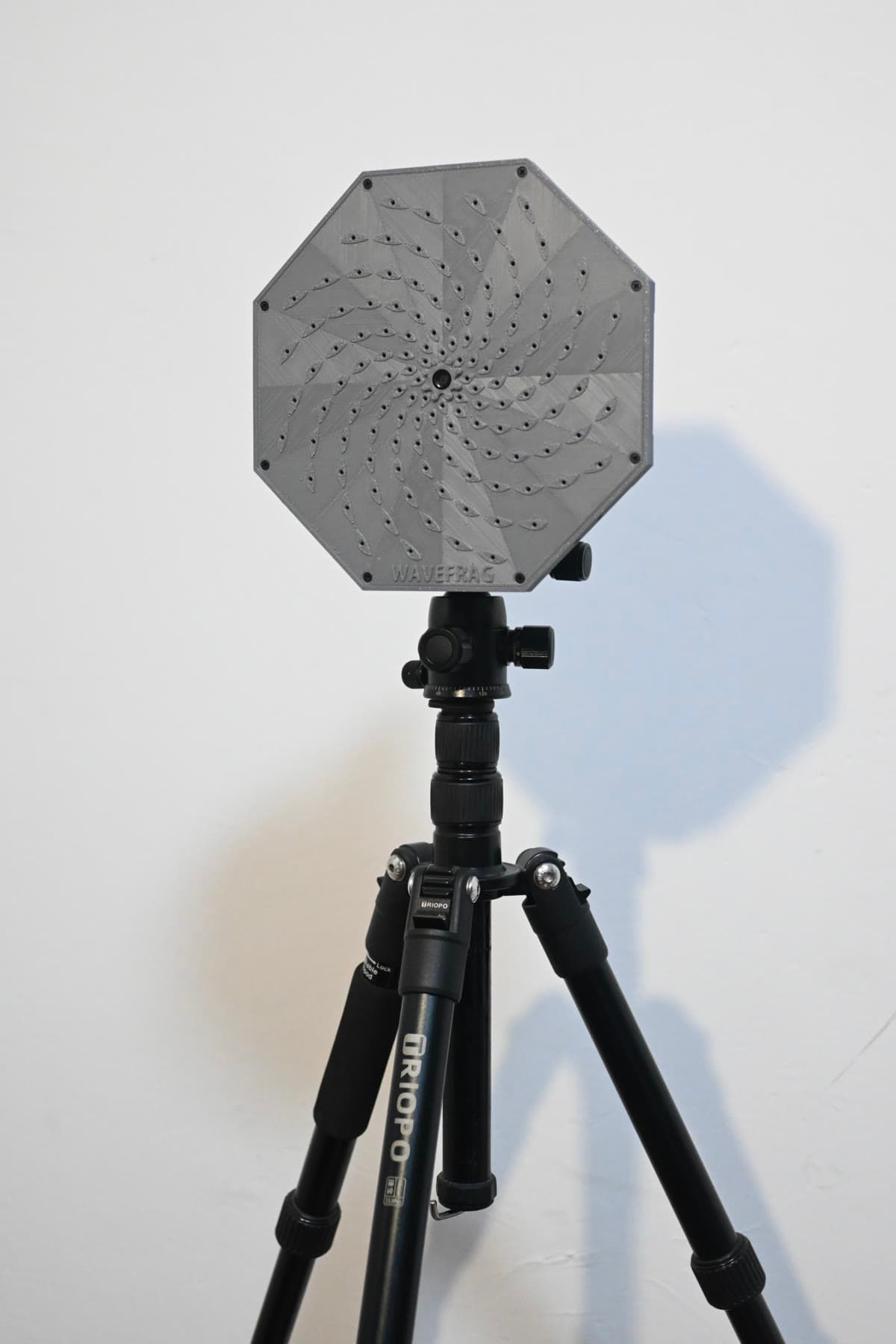
Capture multichannel signals synchronously with an iDAQ array, observe acquisition status, and preserve the original data.
Applications
From abnormal equipment noise to pipeline leaks, from multichannel acquisition to offline review, see how iDAQ and WaveFrag Studio fit into real measurement tasks.
Featured Application
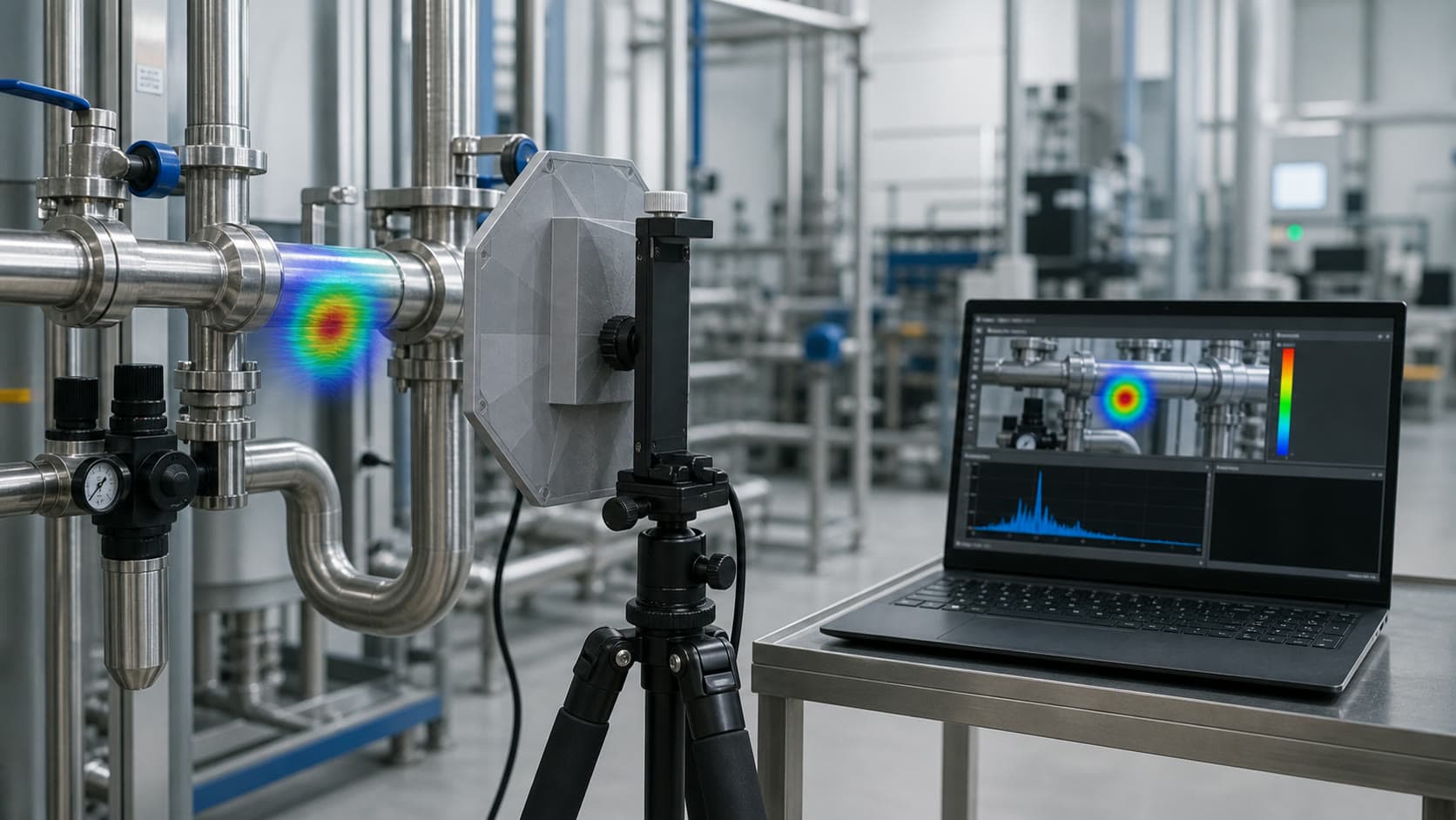
Combine multichannel signals with the live view to reveal dominant source regions, providing a clear localization reference for investigating equipment noise and pipeline leaks.
Measurement Tasks
From acquisition and imaging to playback and analysis, explore product capabilities and workflows around specific tasks.
Capture multichannel signals synchronously with an iDAQ array, observe acquisition status, and preserve the original data.
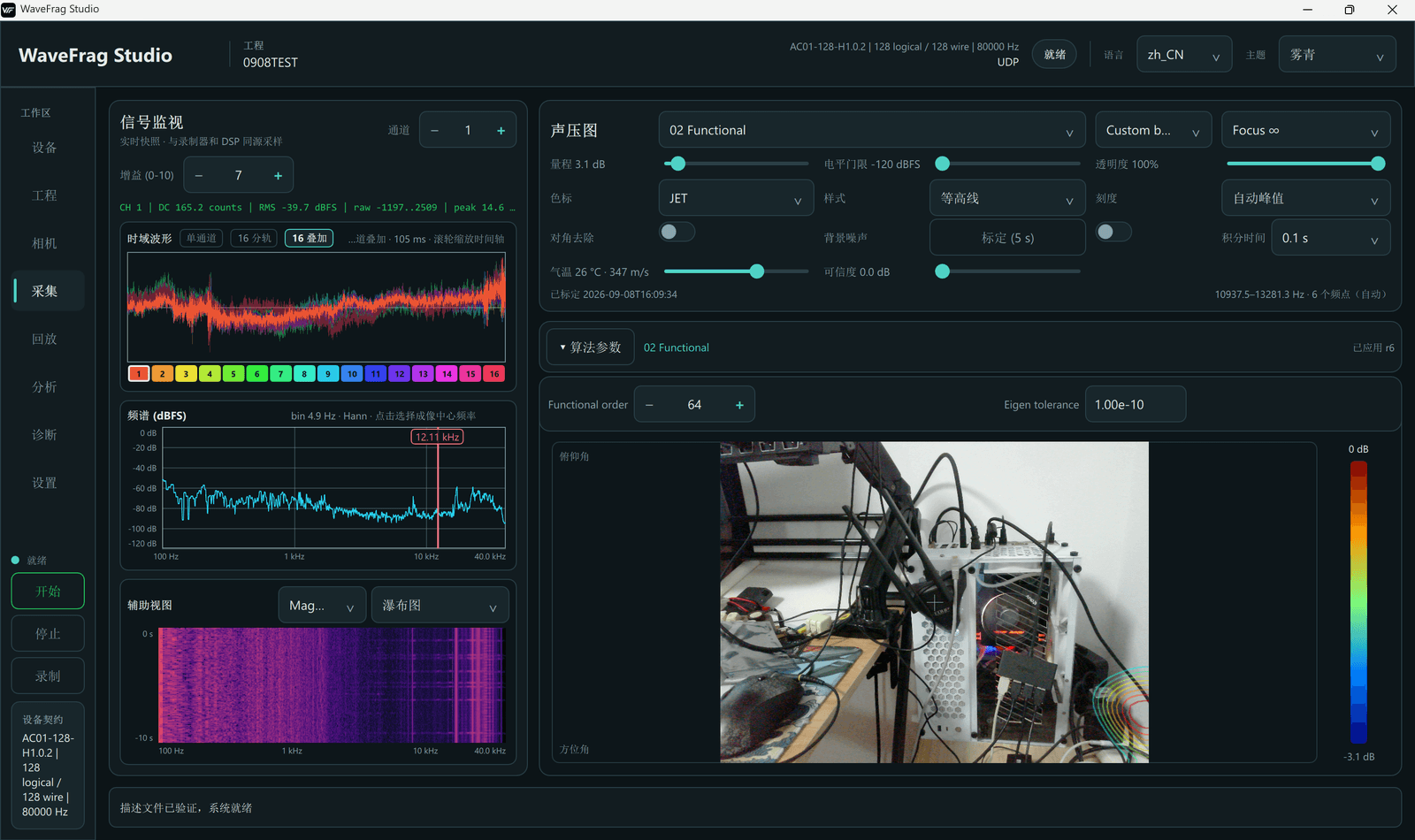
Let array signals and the live view confirm each other in WaveFrag Studio, revealing dominant source regions at a glance.
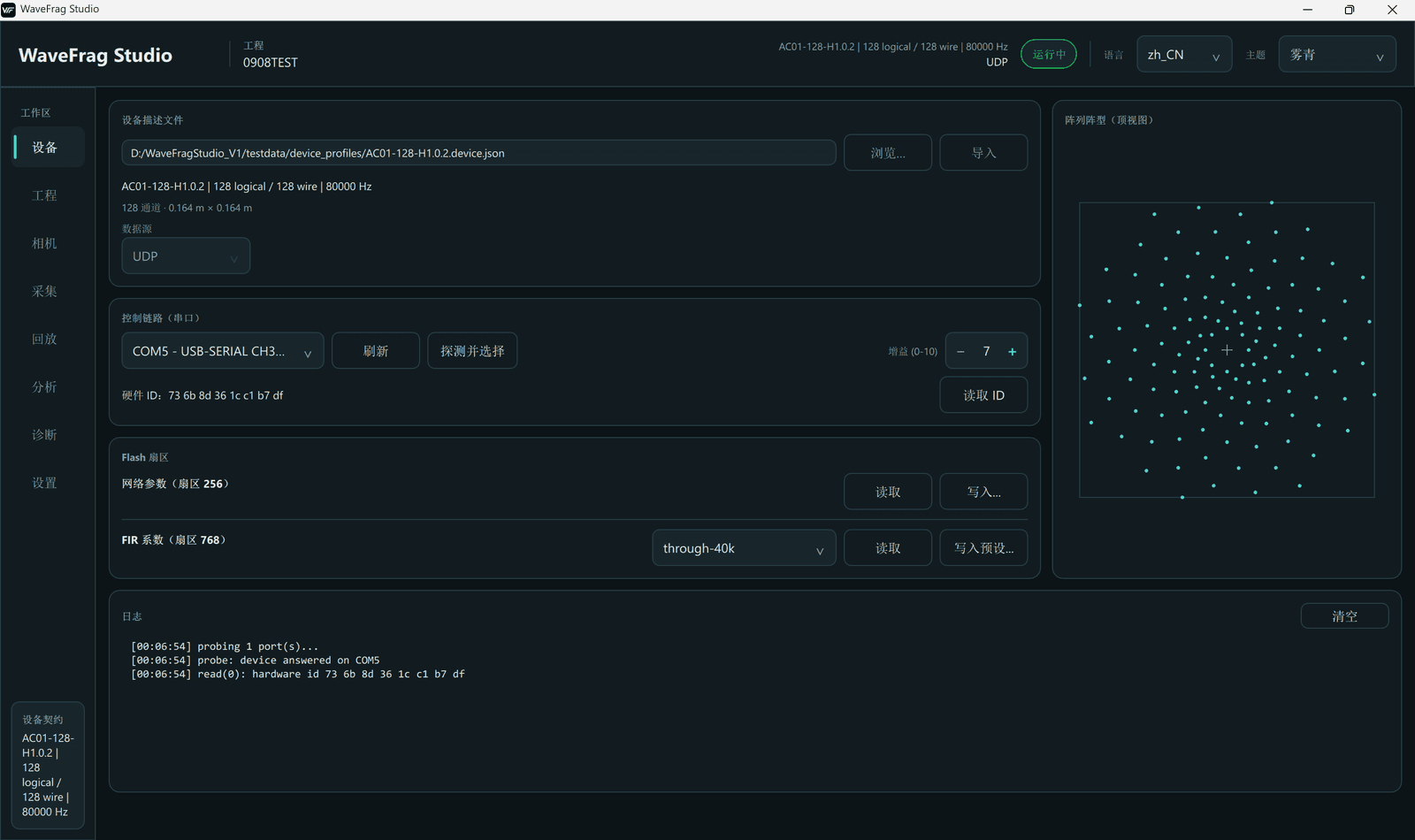
Keep measurement data and settings together, then return to historical records to revisit the original measurement state.
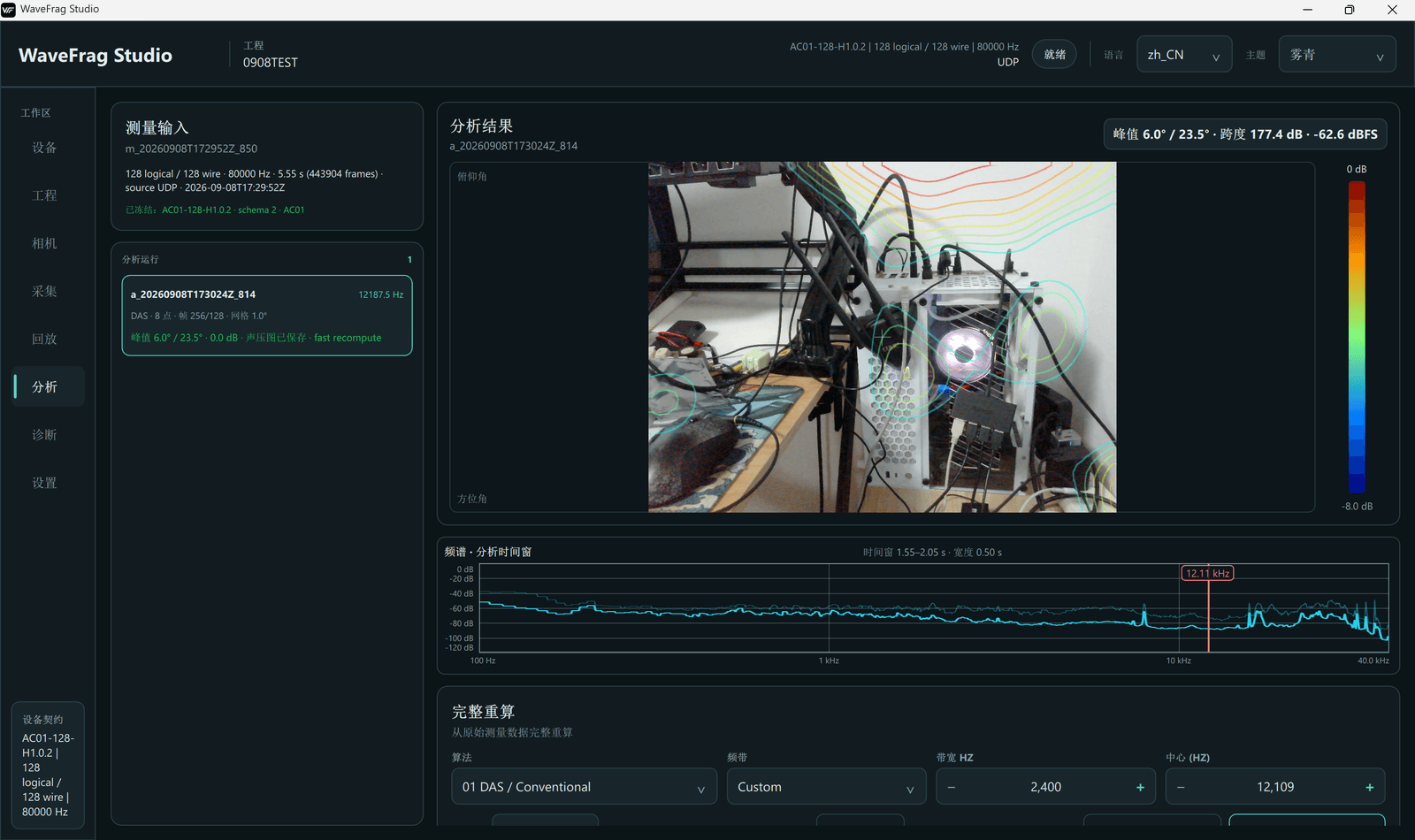
Go beyond a single result. Replay recorded data, adjust parameters, and reanalyze while preserving the link between source data and results.
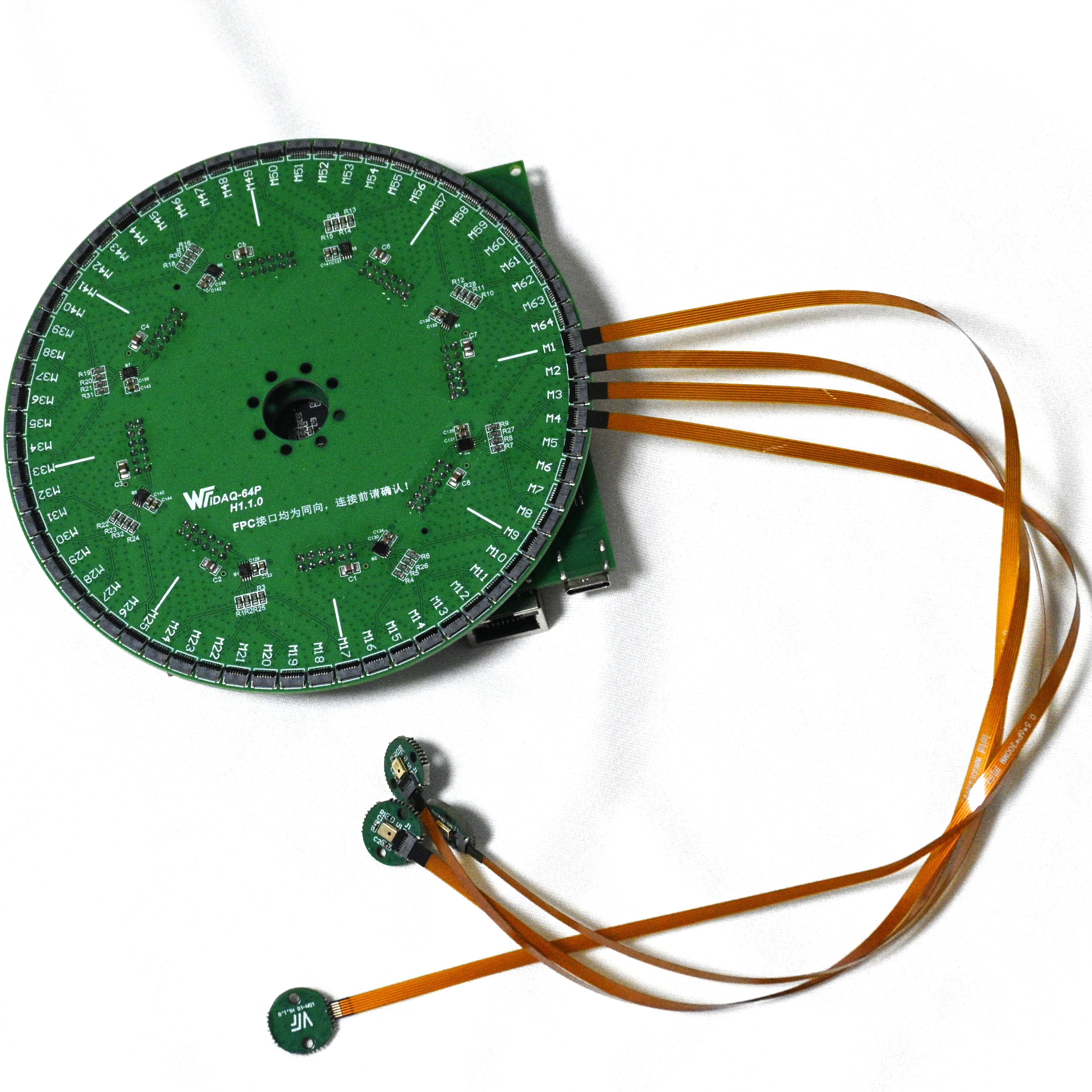
Independent MEMS units connect flexibly through FPC, allowing the array layout to adapt to the available structural space.
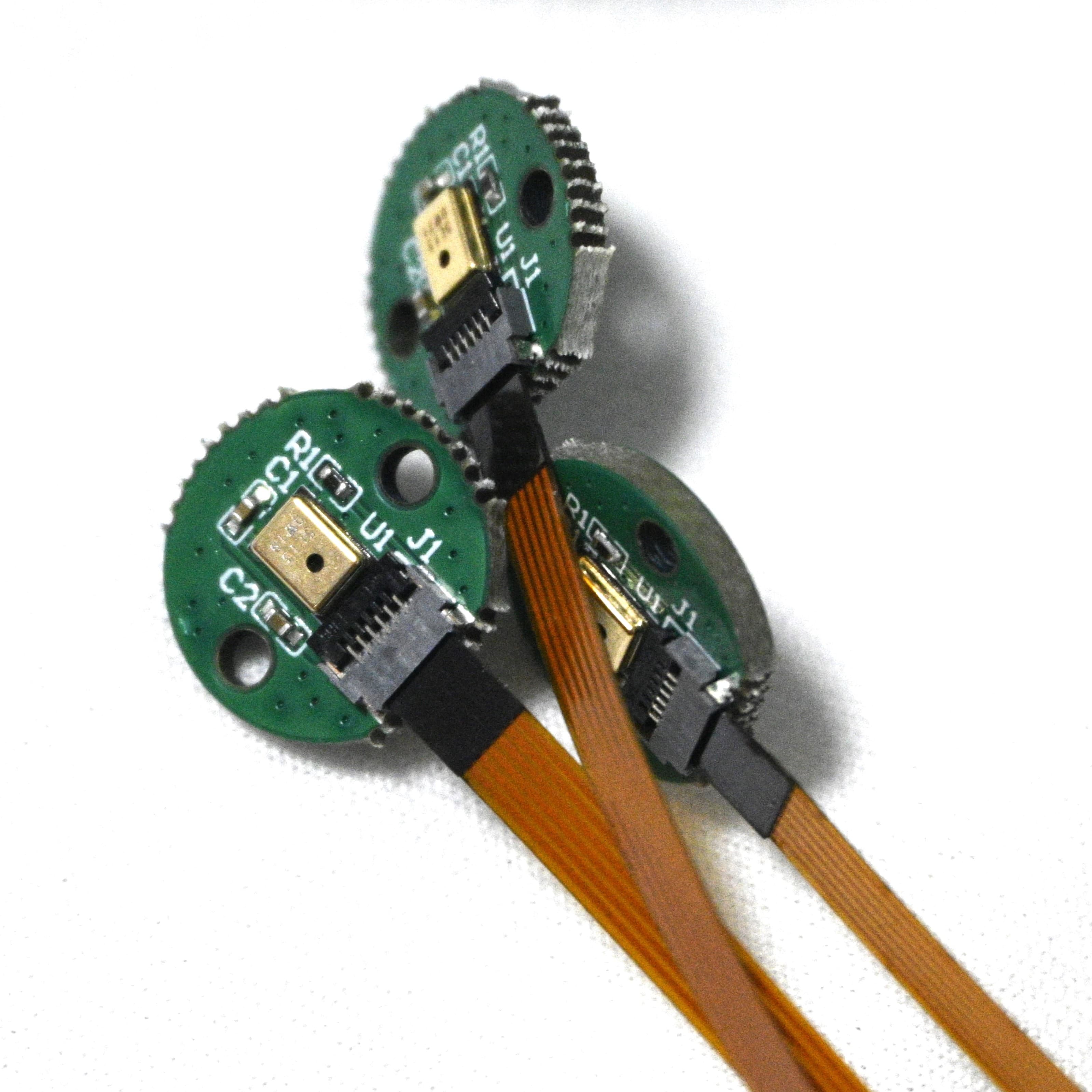
Support array-layout and sound-field research with multichannel data, array position files, and analysis software.
Workflow
From array connection to result review, hardware, settings, measurement data, and analysis results remain in one continuous workflow.
Connect data, control, and optional camera interfaces.
Use the matching array position file and acquisition parameters.
Observe multichannel signals and make a complete record of the field measurement.
Move from acoustic imaging to historical playback for a closer review of measurement results.
Evaluation Directions
Every field setting calls for a different measurement approach. Explore these directions as a starting point; specific configurations require evaluation of site structure, source behavior, and channel requirements.
Observe abnormal equipment noise, locate dominant source regions, and retain traceable measurement records.
Capture and analyze operating sounds to evaluate source localization and follow-up measurement approaches.
Acquire acoustic data around piping to provide a localization reference for leak-source investigation.
Capture mechanical noise, hum, and abnormal sounds as a basis for further analysis and localization.
From multichannel acquisition to array layout and sound-field analysis, support deeper research and verification.